 EN
EN  English
 中文简体
中文简体 Español
 عربى
عربىNews
Content
- 1 The USB Power Constraint: Physics First
- 2 Heating Technologies Used in USB Desk Heaters
- 3 Types of Mini USB Desk Heaters by Form Factor
- 4 Key Specifications to Evaluate Before Buying
- 5 Safety: The Non-Negotiable Priority
- 6 What to Realistically Expect: Warmth Output Benchmarks
- 7 Power Source Considerations: Laptop Port vs. Wall Adapter
- 8 USB Desk Heater vs. Alternative Personal Warming Solutions
- 9 Choosing the Right Mini USB Desk Heater: A Decision Framework
- 10 Energy Efficiency and Running Cost
- 11 Common Mistakes When Buying a USB Desk Heater
- 12 Getting the Most from Your USB Desk Heater
A mini USB desk heater is a compact personal space heater that draws power from a standard USB port rather than a conventional wall outlet. Typically small enough to fit in a palm or on the corner of a keyboard tray, these devices are designed to provide localised warmth to a single user's hands, feet, or immediate desk environment — not to heat an entire room. They are powered entirely through the USB interface, which immediately constrains their electrical output to the power available from that connection.
The appeal is straightforward: office buildings, co-working spaces, university libraries, and open-plan work environments are frequently kept at temperatures optimised for the average occupant rather than for individuals who run cold. A mini USB desk heater gives a cold-handed typist or someone sitting beneath an air conditioning vent a personal thermal solution that can be deployed without modifying the shared environment, without a separate power socket, and without a large or conspicuous appliance on the desk.
Understanding what a USB-powered desk heater can and cannot do — and choosing one that matches realistic expectations — is the most important step in making a purchase that actually delivers useful warmth rather than disappointment.
The USB Power Constraint: Physics First
The single most important fact about any mini USB desk heater is the power ceiling imposed by the USB specification. Heating is an energy-intensive process — the physics are unforgiving. Every watt of electrical power delivered to a resistive heating element produces one watt of heat output. A USB desk heater's warmth output is therefore directly and entirely determined by how many watts its USB connection can deliver.
USB Power Standards Explained
Different USB standards deliver substantially different amounts of power, and this determines how warm a USB heater can actually get:
- USB 2.0 (standard host port): 5V at 500 mA maximum = 2.5W. This is the power available from most older laptop USB ports and standard USB hubs. At 2.5W, a heater can warm a small surface or provide gentle hand warmth but cannot produce meaningful convective heat output.
- USB 3.0 (standard host port): 5V at 900 mA maximum = 4.5W. A step up but still modest. Better for hand-warming applications.
- USB Battery Charging (BC 1.2): 5V at up to 1,500 mA = 7.5W. Available from dedicated charging ports on some laptops and desktop USB hubs.
- USB-C (standard): 5V at 3A = 15W. Significantly more capable for heating applications. Mini desk heaters designed for USB-C can produce noticeably more warmth than 5V USB-A equivalents.
- USB Power Delivery (USB PD): Up to 100W (USB PD 3.0) or 240W (USB PD 3.1). Heaters that negotiate PD voltages can draw substantially more power — though very few USB desk heaters currently implement full PD negotiation.
USB Power Reference — Heater Output Implications USB 2.0 host port : 2.5W — gentle surface warming, minimal air heating
USB 3.0 host port : 4.5W — moderate hand warming, slight localised warmth
USB BC 1.2 charge port: 7.5W — noticeable hand and wrist warming
USB-C 5V/3A : 15W — meaningful personal space heating
USB-C PD 9V/2A : 18W — effective small area warming
USB-C PD 12V/3A : 36W — approaching small plug-in heater output
Mains 240V heater (ref): 400–2,000W — room-scale heating
USB 3.0 host port : 4.5W — moderate hand warming, slight localised warmth
USB BC 1.2 charge port: 7.5W — noticeable hand and wrist warming
USB-C 5V/3A : 15W — meaningful personal space heating
USB-C PD 9V/2A : 18W — effective small area warming
USB-C PD 12V/3A : 36W — approaching small plug-in heater output
Mains 240V heater (ref): 400–2,000W — room-scale heating
The practical implication: a USB 2.0-powered desk heater producing 2.5W is approximately 160 times less powerful than a modest 400W plug-in fan heater. Managing expectations accordingly is essential. USB desk heaters are personal warming devices, not space heaters — and the better ones are designed with that distinction clearly in mind.
Heating Technologies Used in USB Desk Heaters
Within the constraint of USB power limits, manufacturers use several different heating technologies, each with distinct thermal characteristics, warm-up times, and energy distribution profiles.
PTC Ceramic Heating Elements
PTC (Positive Temperature Coefficient) ceramic is the most common and generally most recommended technology in USB desk heaters. PTC ceramic elements have an intrinsic self-regulating property: their electrical resistance increases as temperature rises, which automatically limits current draw and prevents the element from overheating. As the element reaches its rated temperature, power consumption decreases — the element maintains a stable temperature without requiring a separate thermostat or cut-off circuit.
This self-regulation makes PTC ceramic elements inherently safer than resistive wire elements, which do not self-limit and rely entirely on external safety cut-offs to prevent overheating. In the context of a device sitting on a wooden desk next to paper, books, and electronics, the passive safety of PTC ceramic is a significant advantage. Most mid-range and premium USB desk heaters specify PTC ceramic elements explicitly.
Resistive Wire (Nichrome) Elements
Nichrome wire — a nickel-chromium alloy — is the classic resistive heating element used in everything from toasters to electric cookers. In USB heaters, nichrome elements are cheaper to manufacture than PTC ceramic but do not self-regulate. They require external thermal cut-offs (typically a bimetallic strip thermostat or an NTC thermistor-controlled circuit) to prevent overheating. Budget USB desk heaters often use nichrome elements; the quality of the external protection circuit then determines the safety profile of the product.
Graphene Heating Film
A growing number of USB desk heaters — particularly flat, pad-style products designed to warm the hands or wrist resting area — use graphene heating film. Graphene's exceptional thermal conductivity enables very rapid heat-up times (often under 5 seconds to working temperature) and very even heat distribution across the pad surface. Graphene film heaters are thin, lightweight, and efficient, with power draw that can be matched precisely to USB power limits during the design phase. They are well suited to surface-contact warming rather than convective air heating.
Fan-Assisted PTC Convection
The most effective USB desk heaters for warming the ambient air immediately around the user combine a PTC ceramic element with a small axial or centrifugal fan. The fan forces air across the heated ceramic surface, dramatically increasing heat transfer to the surrounding air compared with passive convection. Fan-assisted USB heaters produce a directed warm airstream that can be aimed at the user's hands, face, or feet. The fan adds noise (typically 30–45 dB at maximum speed) and a small additional power draw, but the improvement in effective heat delivery is substantial — a 5W fan-assisted unit typically feels warmer in use than a 7W passive unit of the same technology.
Types of Mini USB Desk Heaters by Form Factor
Fan Heater (Upright)
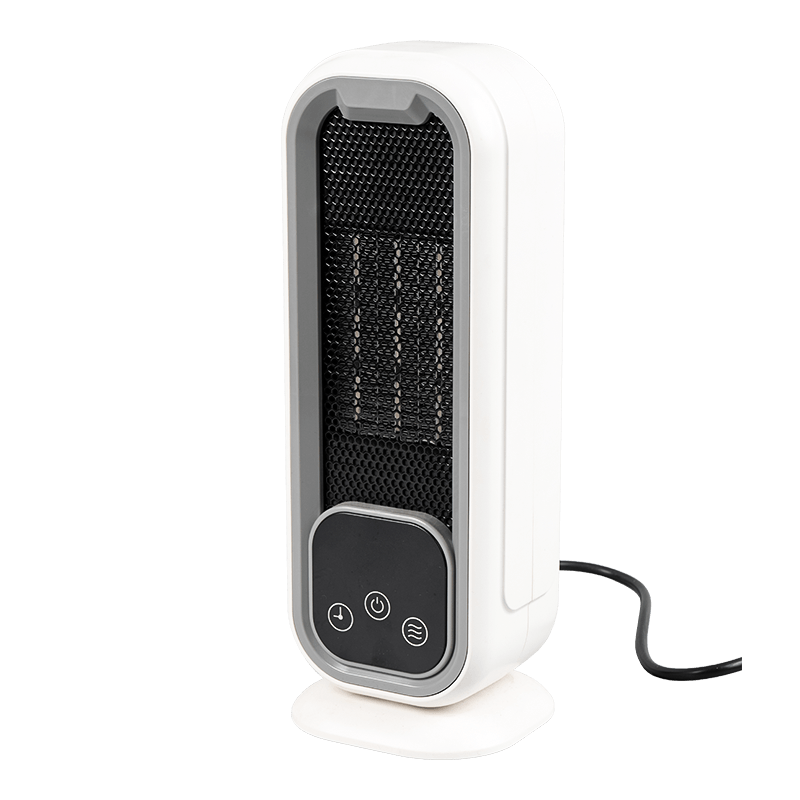
The most recognisable form: a small tower or box with a PTC element and fan that blows heated air through a front grille. Produces convective warmth directed at the upper body. Most effective type for actually warming the air around the user. Typical power: 3–15W depending on USB standard used.
Heating Pad / Mat
A flat flexible or rigid pad placed under the wrists, hands, or mouse. Uses graphene film or resistive wire beneath a fabric or silicone surface. Warms by contact conduction rather than convection — very effective for hands but does nothing for ambient temperature. Rapid warm-up is a key feature.
Cup / Mug Warmer
A heated coaster that keeps beverages warm. Technically a USB surface heater rather than a personal space heater, but often categorised alongside USB desk heaters. Uses a resistive or PTC element beneath a metal plate. Genuinely effective at its specific job; should not be confused with a device that warms people.
Foot Warmer (Under-Desk)
A larger pad, slipper, or box designed to sit on the floor under the desk and warm the feet. USB-powered foot warmers exist but are limited by USB power constraints to gentle warming rather than the substantial heat a cold-footed office worker might hope for. USB-C or dual-USB versions are more effective.
Mini Tower / Oscillating
A taller form factor with an oscillating function that distributes warmth across a wider angle. Slightly larger than a standard desk fan heater. More effective for warming a larger desktop area or sharing warmth across a small workstation. Typically draws more power and benefits most from USB-C or wall adapter use.
Infrared Heater (Panel)
Uses infrared radiation rather than convective airflow to warm surfaces and skin directly. Very efficient at warming the specific object or person in its beam without heating the surrounding air. Less common in the USB desk heater category due to power requirements, but available in USB-C PD variants. Produces no fan noise.
Key Specifications to Evaluate Before Buying
| Specification | What to Look For | Red Flags | Rating |
|---|---|---|---|
| Power draw (watts) | Explicitly stated wattage; USB-C or PD for higher output | No wattage listed; vague "high-power" claims | Critical |
| USB connector type | USB-C preferred; USB-A acceptable for hand warmers | Micro-USB on heaters claiming significant heat output | Critical |
| Heating element type | PTC ceramic specified; graphene for pads | No element type stated; "advanced heating wire" vagueness | Important |
| Overheat protection | Auto shut-off stated; tip-over protection if freestanding | No safety certifications mentioned; no cut-off specification | Critical |
| Safety certifications | CE, ETL, UL, FCC, RoHS as applicable to target market | No certifications; certifications listed without mark numbers | Important |
| Temperature settings | At least two heat levels; thermostat preferred | Single fixed temperature with no adjustment | Useful |
| Fan noise level | Stated dB rating; ≤40 dB for office use | No noise specification on fan-assisted models | Useful |
| Cable length | ≥1.2m for comfortable desk positioning | Very short cables (30–50cm) limiting placement flexibility | Practical |
| Timer function | 1–3 hour auto-off timer for safety and energy saving | No timer on devices intended for unattended operation | Useful |
| Power source compatibility | Works with wall USB adapter as well as laptop port | Only specified for use with PC port (unnecessary limitation) | Bonus |
Safety: The Non-Negotiable Priority
Personal heating devices on desks surrounded by paper, fabric, and electronic equipment deserve more safety scrutiny than most small consumer electronics. A USB desk heater that malfunctions thermally has the potential to cause a desk fire — a risk that makes safety certifications and protective features genuinely important rather than marketing checkboxes.
What Legitimate Safety Certifications Mean
CE marking (European Economic Area): Indicates the product meets EU health, safety, and environmental protection requirements. For electrical heating devices, this includes the Low Voltage Directive (LVD) and the Electromagnetic Compatibility Directive (EMC). CE marking should be accompanied by a Declaration of Conformity — a document the manufacturer must be able to produce on request.
ETL Listed / UL Listed (North America): ETL and UL marks indicate that an independent laboratory (Intertek for ETL, Underwriters Laboratories for UL) has tested the product against applicable safety standards. For heating devices, UL 1278 (portable electric heaters) is the relevant standard. ETL/UL listed USB heaters have undergone more rigorous third-party evaluation than CE-marked products, where self-declaration is permitted.
RoHS: Restriction of Hazardous Substances — relevant for materials safety but not for electrical safety. Should be present on any product sold in the EU but does not substitute for heating-specific electrical safety marks.
Essential Safety Features
- Overheat protection: A thermal cut-off (bimetallic thermostat or electronic NTC sensor) that disconnects power if the element temperature exceeds a safe threshold. This is the most important safety feature in any heating device. PTC ceramic elements provide this passively; other element types require active protection.
- Tip-over auto-off: For upright fan heaters, a gravity switch or accelerometer-triggered cut-off that stops the heater if it is knocked over. Critical for freestanding devices on cluttered desks.
- Timer / auto-off: An automatic shut-off after 1–3 hours prevents the heater running unattended overnight or after the user leaves their desk. Particularly important in shared offices or open-plan environments.
- Cable insulation and connector quality: The USB cable on a heating device carries sustained current at or near its rated limit. Undersized or poorly insulated cables can overheat at the connector or along their length. A cable that becomes hot during normal heater operation is a warning sign of undersized conductors.
- Housing materials: The outer housing should be constructed from flame-retardant plastics (V-0 rated per UL 94 is the appropriate specification) that do not ignite or contribute to flame propagation in a thermal runaway event.
Important: Do not leave any USB desk heater operating unattended for extended periods, particularly overnight or when leaving the office. This applies even to certified products with auto-off timers — the timer is a safety backup, not an invitation to leave heating devices running unsupervised. The thermal energy density around a desk heater, surrounded by paper and fabric, makes this a meaningful risk management precaution rather than excessive caution.
What to Realistically Expect: Warmth Output Benchmarks
Setting accurate expectations about a mini USB desk heater's warmth output prevents the disappointment that drives many negative reviews. The following benchmarks describe what a user should actually experience from each power tier.
2–4W (USB 2.0 / 3.0 from laptop port)
At this power level, a fan-assisted heater produces a gentle stream of warm air that is distinctly above ambient temperature when the hand is held in front of it — roughly comparable to holding your hand near a warm (not hot) light bulb. It will not warm a cold room, change a thermostat reading, or noticeably heat more than a very small localised volume of air. A heating pad at this power will warm the hand-contact surface to approximately 38–42°C, which is genuinely comfortable for cold hands resting on it. A foot warmer at 3W will produce very mild warming — noticeable but not substantial.
5–10W (USB BC 1.2 / USB-C standard)
This is where USB desk heaters begin to deliver genuinely useful personalised warmth. A fan-assisted PTC heater at 7.5W produces a warm airstream that can noticeably warm the hands and face area within a 30–40cm radius. At 10W, a small fan heater can raise the local perceived temperature meaningfully enough to make a cold desk environment comfortable without a jacket. This is the tier most users who describe USB desk heaters as "actually useful" are operating in.
15–40W (USB-C PD)
USB-C Power Delivery heaters at 15–40W approach the output of small plug-in fan heaters. At 20W with a good PTC element and fan, a USB-C desk heater can produce a sustained warm airstream comparable to a low-setting plug-in heater — still personal-scale rather than room-scale, but genuinely capable of warming the immediate desk environment on a cold day. These products require a USB-C port or adapter capable of delivering the specified PD wattage; plugging a 20W USB-C heater into a standard 5V-only USB-C port will result in only 15W maximum output.
Calibration reference: A typical resting adult generates approximately 80W of metabolic heat. A USB desk heater at 5W is adding the equivalent of about 6% of one person's body heat output to the local environment. At 20W, it is approximately 25% of body heat equivalent. These numbers explain both why USB heaters feel perceptibly warm in a still-air desk environment and why they cannot meaningfully heat a ventilated room.
Power Source Considerations: Laptop Port vs. Wall Adapter
The choice of power source significantly affects both heater performance and practical considerations around device impact.
Drawing Power from a Laptop USB Port
Most users intuitively plug their USB desk heater into a convenient laptop USB port. This works, but introduces two considerations. First, the available power is capped by the laptop's USB controller specification — typically 2.5W–4.5W for USB-A ports on most laptops. Second, the heater draws sustained current from a power source that is simultaneously managing battery charging, display backlight, processor performance, and potentially other USB devices. On a laptop running on battery power, a USB heater will measurably increase battery drain and reduce battery runtime. On a laptop plugged into its charger, the additional USB load is negligible relative to the charger's capacity.
On USB-C-equipped laptops, using the laptop's charging port with a USB-C heater may interrupt the laptop's own charging if the power delivery negotiation between heater and port is handled poorly by a budget heater's firmware. Better USB-C heaters are designed to negotiate power without disrupting host device charging.
Plugging into a Wall USB Adapter
A USB wall adapter is the best power source for a USB desk heater. Dedicated USB charging adapters (particularly GaN-based multi-port chargers) can deliver the rated USB BC or USB-C PD current without the thermal and power-sharing complications of a laptop port. The heater draws its maximum rated power, the performance is consistent, and there is no impact on any connected device. For heaters claiming 10W or more, a dedicated wall adapter is essentially required to achieve the specified performance.
Verify that the wall adapter is rated for the heater's power draw. A 7.5W heater connected to a 5W adapter will draw the adapter to its limit continuously — a usage pattern that is not ideal for adapters rated for intermittent high-current use. A 12W or 18W adapter for a 7.5W heater provides adequate headroom.
USB Desk Heater vs. Alternative Personal Warming Solutions
Before purchasing a USB desk heater, it is worth comparing it against the alternatives available for the same problem — cold hands, cold feet, or a cold desk environment — to determine which solution best fits the situation.
| Solution | Warmth Output | Power Required | Portability | Best For |
|---|---|---|---|---|
| USB mini fan heater (2–5W) | Gentle localised | USB-A from laptop | Excellent | Mild chill, hands |
| USB-C desk heater (15–20W) | Meaningful personal heat | USB-C PD adapter | Very good | Cold desk environment |
| USB graphene hand pad | Direct contact warmth | USB-A (3–8W) | Excellent | Cold hands / wrists |
| Plug-in fan heater (400W) | Strong room contribution | Mains socket | Requires socket | Room-scale warming |
| Heated seat cushion (mains) | Direct contact, consistent | Mains socket | Fixed placement | Cold back / seat |
| Fingerless gloves / thermal layer | Body heat retention | None | Maximum | Persistent cold hands |
| Under-desk mat heater (mains) | Substantial foot warmth | Mains socket | Fixed placement | Cold feet at desk |
| Adjusting room thermostat | Full room | Central heating system | Not personal | When control is available |
Honest assessment: For genuinely cold hands at a desk, a USB graphene heating pad or a pair of fingerless gloves often outperforms a USB fan heater in terms of immediate, practical warmth — at lower cost and with less complexity. USB fan heaters earn their place for users who find contact warming uncomfortable or who want localised warm air rather than surface warmth. Matching the solution to the specific cold problem gives better results than defaulting to the most familiar product form.
Choosing the Right Mini USB Desk Heater: A Decision Framework
Working through the following questions in order produces a well-matched heater selection for most buyers.
- What are you trying to warm? Cold hands and wrists respond best to a heating pad. Cold upper body and face respond best to a fan heater directed at the user. Cold feet need a floor-level solution. Defining the target body area determines the appropriate product form factor before any other specification matters.
- What USB power can your source deliver? Check your laptop's USB port specifications or the adapter you plan to use. If limited to a USB 2.0 port (2.5W), set expectations accordingly and consider a graphene pad rather than a fan heater. If using a USB-C PD adapter, you have access to significantly more capable products.
- Will you use it in a shared office? Fan noise is a relevant consideration in quiet shared spaces. Silent options (heating pads, infrared panels) should be prioritised if a 35–40 dB fan noise would be disruptive to colleagues or inappropriate in the environment.
- What is your safety priority level? For any heater that will sit on a desk unattended during working hours, require overheat protection, tip-over cut-off, and an auto-off timer as non-negotiable criteria. Verify safety certifications (ETL, UL, or credible CE with DoC) before purchase.
- What is your budget? Set a realistic floor: a USB desk heater under approximately £15 / $15 / €15 from an unknown brand without stated safety certifications is a product category where the risk-to-benefit calculation warrants caution. A mid-range certified product from a recognisable brand at £25–£45 / $25–$45 typically offers meaningfully better safety credentials and more reliable performance claims.
- Do you need portability? If the heater will travel in a bag between home, office, and commute, weight and cable management become relevant. Fan heaters with grilles are more fragile in transit than solid heating pads. A short (under 1m) coiled cable is more portable than a long straight cable; a long cable is better for fixed desk placement.
Energy Efficiency and Running Cost
USB desk heaters are among the most energy-efficient space warming solutions available — not because they are technically efficient in a thermodynamic sense (all resistive heaters are 100% efficient at converting electricity to heat), but because they consume so little power that their running cost is genuinely negligible compared with any room-scale heating solution.
A 5W USB desk heater running for 8 hours consumes 0.04 kWh — at average UK electricity prices of approximately £0.24/kWh, this costs under £0.01 per working day. A 15W USB-C heater running 8 hours costs approximately £0.03 per day — still less than £1 per month for daily office use. By comparison, a 2,000W electric room heater running for the same 8 hours costs approximately £3.84 per day at the same tariff.
The energy efficiency argument for USB desk heaters is therefore compelling in contexts where they can substitute for raising a shared room thermostat: if one person's personal cold problem can be solved with a 10W USB heater rather than raising the office heating by 1–2°C across an entire floor, the collective energy saving is substantial. This is a genuine and often-overlooked use case for USB desk heaters in commercial settings.
Cost context: Running a 10W USB desk heater for a full 8-hour working day, five days a week, for an entire year costs approximately £2.50–£5.00 in electricity depending on local tariffs. This is less than most people spend on coffee in a week. The running cost of a USB desk heater is essentially irrelevant as a purchasing consideration — the capital cost and safety quality of the unit are the meaningful decision factors.
Common Mistakes When Buying a USB Desk Heater
- Buying based on claimed temperature output rather than wattage. "Heats to 60°C!" is a surface temperature claim that tells you nothing about how much air it warms. Wattage is the only meaningful measure of heat output capability.
- Assuming any USB port delivers the same power. A 10W heater plugged into a USB 2.0 port will draw at most 2.5W and produce proportionally less heat than specified. The power source is half the performance equation.
- Ignoring safety certifications on a device that generates heat. An uncertified heater sitting on a wooden desk next to paper is a risk that a small price saving does not justify.
- Expecting room-scale warming from a device drawing less than 20W. Desk, office, room — the scope of effective heating scales with wattage. A 5W USB heater warms your hands; it does not warm the room.
- Using a very short cable that forces the heater into an awkward position. A heater aimed at a wall or the underside of a monitor because the cable is too short to allow proper placement delivers a fraction of its potential benefit to the user.
- Leaving the heater running when leaving the desk for extended periods. Even devices with auto-off timers should be switched off manually when leaving the workspace — the timer is a failsafe, not an operational mode.
Getting the Most from Your USB Desk Heater
Once the right product is chosen and safely set up, a few operational habits maximise the warmth a mini USB desk heater actually delivers. Position the heater so its output is directed at the part of the body that is coldest — typically the hands if typing, or the face and chest if the cold is ambient. Aim for a distance of 20–40cm from a fan heater for optimal airflow warmth without turbulence or noise close to the ear.
Avoid placing the heater behind objects that block airflow or radiant output. A heater partly obscured by a monitor stand or laptop lid loses effectiveness proportionally. On a heated pad, ensure full hand or wrist contact rather than partial coverage — graphene pads work by conduction and only warm the surface actually in contact with the skin.
In a cold office environment, combining a USB desk heater with a lightweight fleece or thermal layer addresses different heat loss mechanisms simultaneously: the heater compensates for cold ambient air reaching the upper body; the layer traps body heat at the core and extremities. This combination typically delivers more total comfort improvement than either solution alone at the power levels available from USB sources.
Finally, if the USB desk heater still feels inadequate after careful positioning and correct power sourcing, the honest diagnosis is usually that the cold problem being experienced is room-scale rather than personal-scale — and the appropriate solution is a mains-powered heater or a conversation with building management about thermostat settings, rather than a more powerful USB device. USB desk heaters solve a specific, bounded problem well. Choosing the right tool for the right problem is the foundation of any satisfying purchase.
 Previous